
Create a new page
Create a New page
- Select in the Nav Treepage where you want your New page to be. Here we would like our New page to be created as a child of About Us
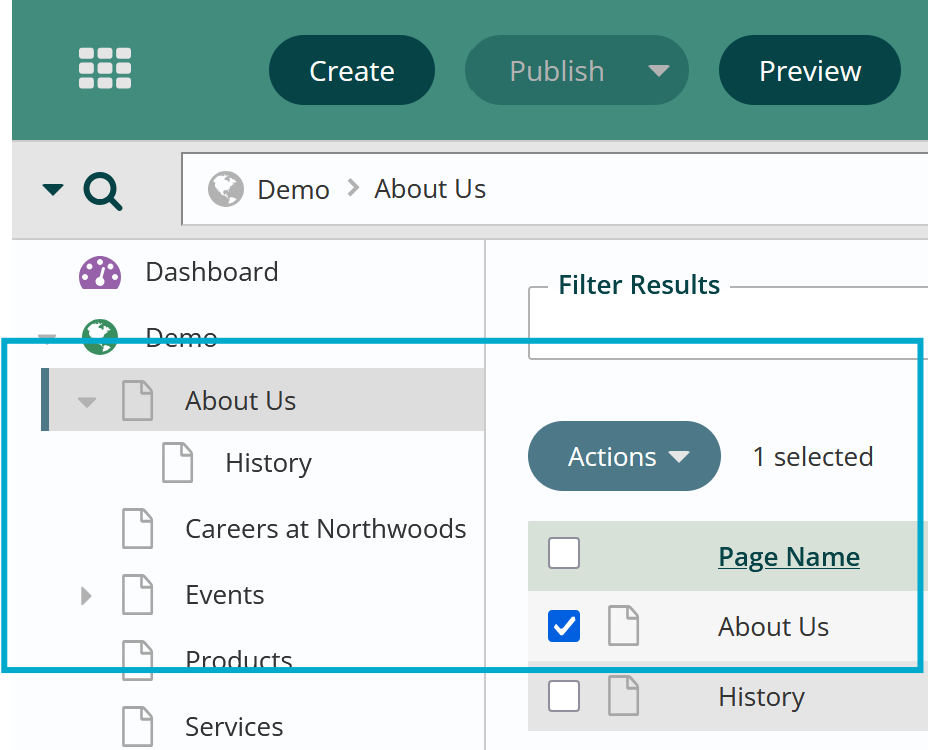
- Click Create in the App Ribbon.

- Enter the page name in the Workstation Name field for a Standard content page and verify the parent page if applicable, is correct.
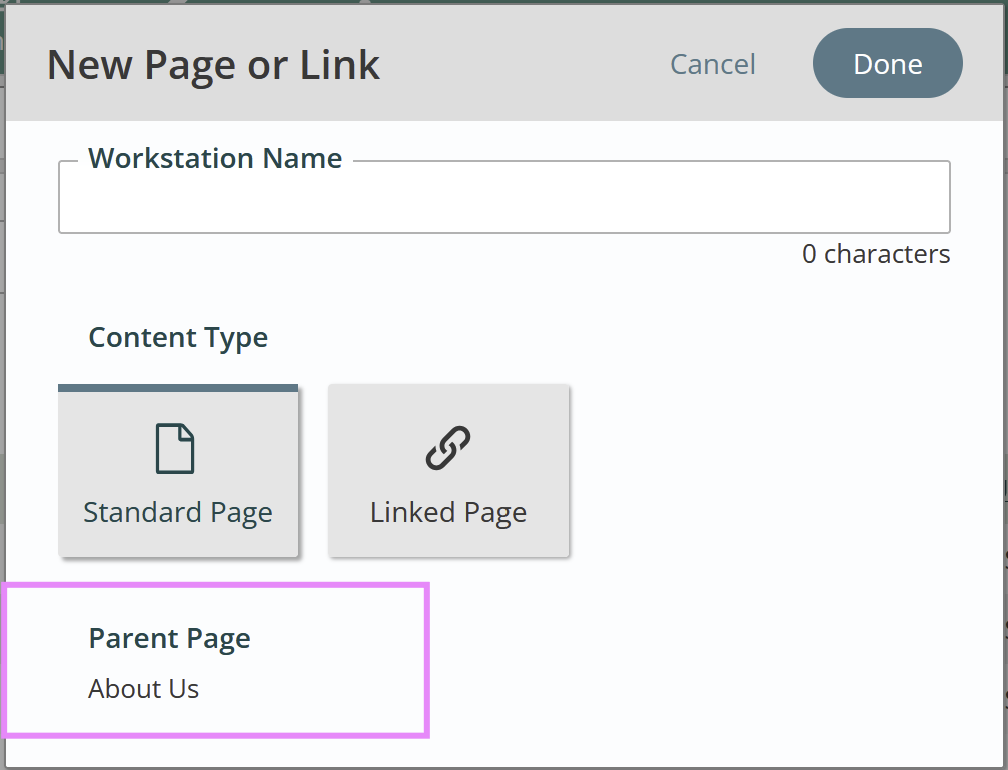
- Choose Standard Page as the content type (this is the default)
- Click Done.
- You should now see your page listed in the Nav Tree.
Get Support
Expert Titan CMS Support is just a phone call or email away!
Titan CMS Help Desk
9a.m.-5p.m. CT Mon-Fri
Tel: 414-914-9200
Email: support@nwsdigital.com